{SIZEINDEX}
Syntax
Arguments
- Expression
Character. An expression that evaluates to 0 ( Width1, Height1 ) or 1 ( Width2, Height2 ).
- Width1
Numeric. The width of the control in characters, using the default font, which is Arial 8.
- Height1
Numeric. The height of the control in lines, using the default font, which is Arial 8.
- Width2
Numeric. The width of the control in characters, using the default font, which is Arial 8.
- Height2
Numeric. The height of the control in lines, using the default font, which is Arial 8.
Description
The {SIZEINDEX} command allows you to dynamically select between two sets of dimensions for a control. The {SIZEINDEX=} command turns off the command.
Example
dim scripts100 as C
dim help_text as C
help_text = help_text + "Select the script that you want to play. To select"
help_text = help_text + " the script highlight the script in the list"
help_text = help_text + " box, then click the OK button. "
help_text = help_text + "This will close the dialog, and play the"
help_text = help_text + " script."
scripts.initialize(a5.Script_Enum())
showhelp = .T.
result = ui_dlg_box("Scripts",<<%dlg%
{region}
Select the script that you wish to play:;
{justify=top,right}(showhelp) Display Help?;
{justify=top,left}
{sizeindex=if(showhelp,0,1)}
.100,4;100,8:script^#scripts ;
{sizeindex=}
{condition=showhelp} ;
{text=100,4:help_text};
{condition=.t.}
{endregion};
<*15&OK> <15Cancel>
%dlg% )
if result = "&OK" then
   script_play(script)
end if
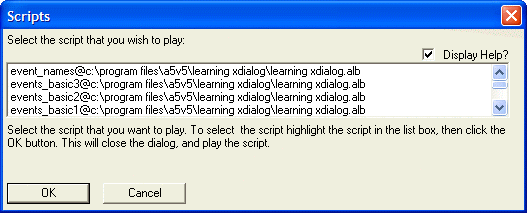
This script produces this dialog when the Display Help check box is checked:
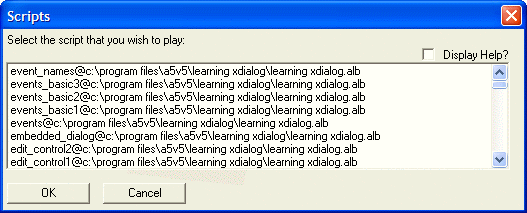
And it produces this dialog when the Display Help check box is cleared:
Limitations
Desktop applications only
See Also